-Developed user stories and mapped out information architecture for easier navigation and user clarity
-Created sketches, wire frames and prototypes for key routes
-Built out design system, relying heavily on mentors and outside resources for support
-Conducted user testings with new and current users
-Weekly meetings with shareholder to go over progress, explain design decisions and review iterations
Identifying Dashboard & Event Pain Points
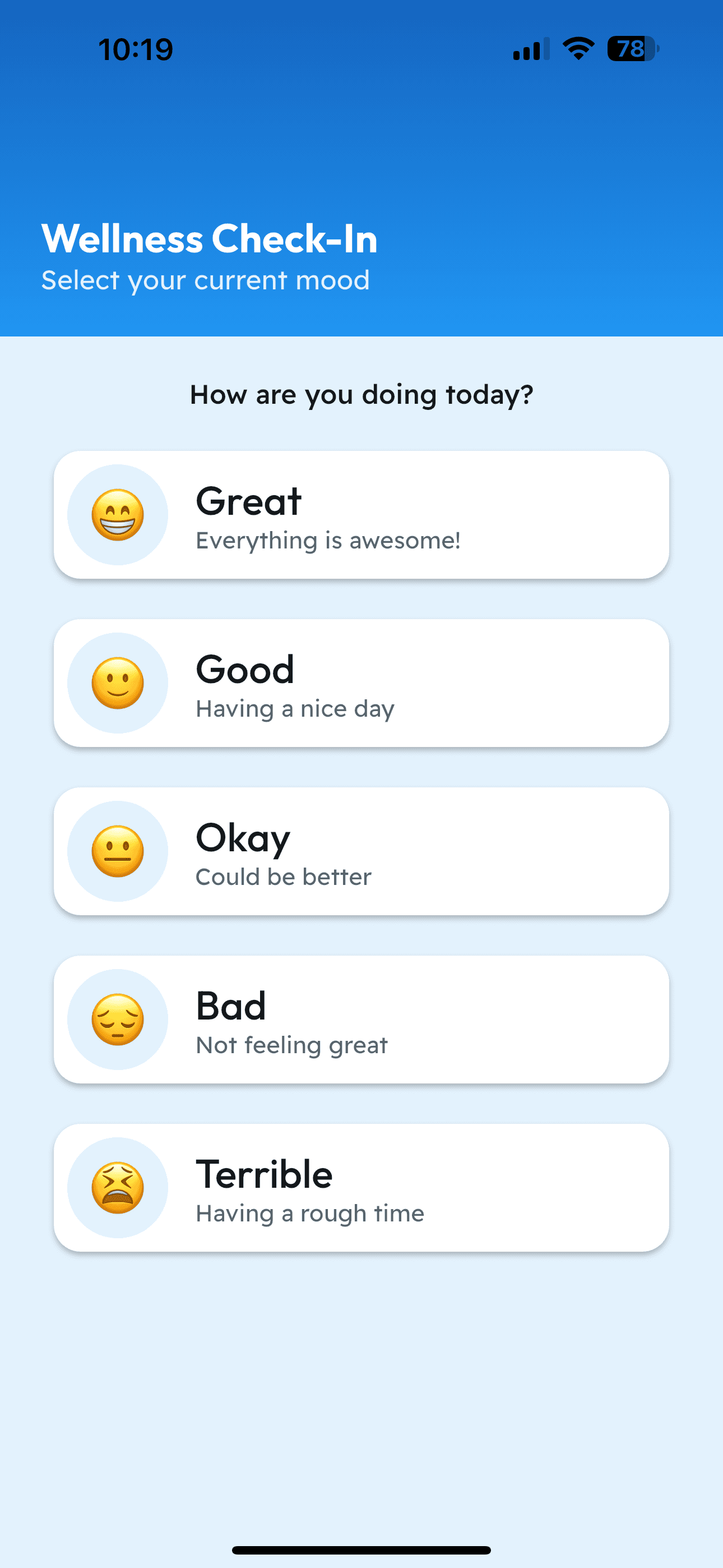
The old UBYou dashboard’s layout buried key features and lacked prioritization. Students also rely on several different tools to track and manage their events. While the tools work individually, they aren’t integrated with UBYou, which forces members to juggle between platforms and manually update schedules, which often leads to missing important updates.
Dashboard
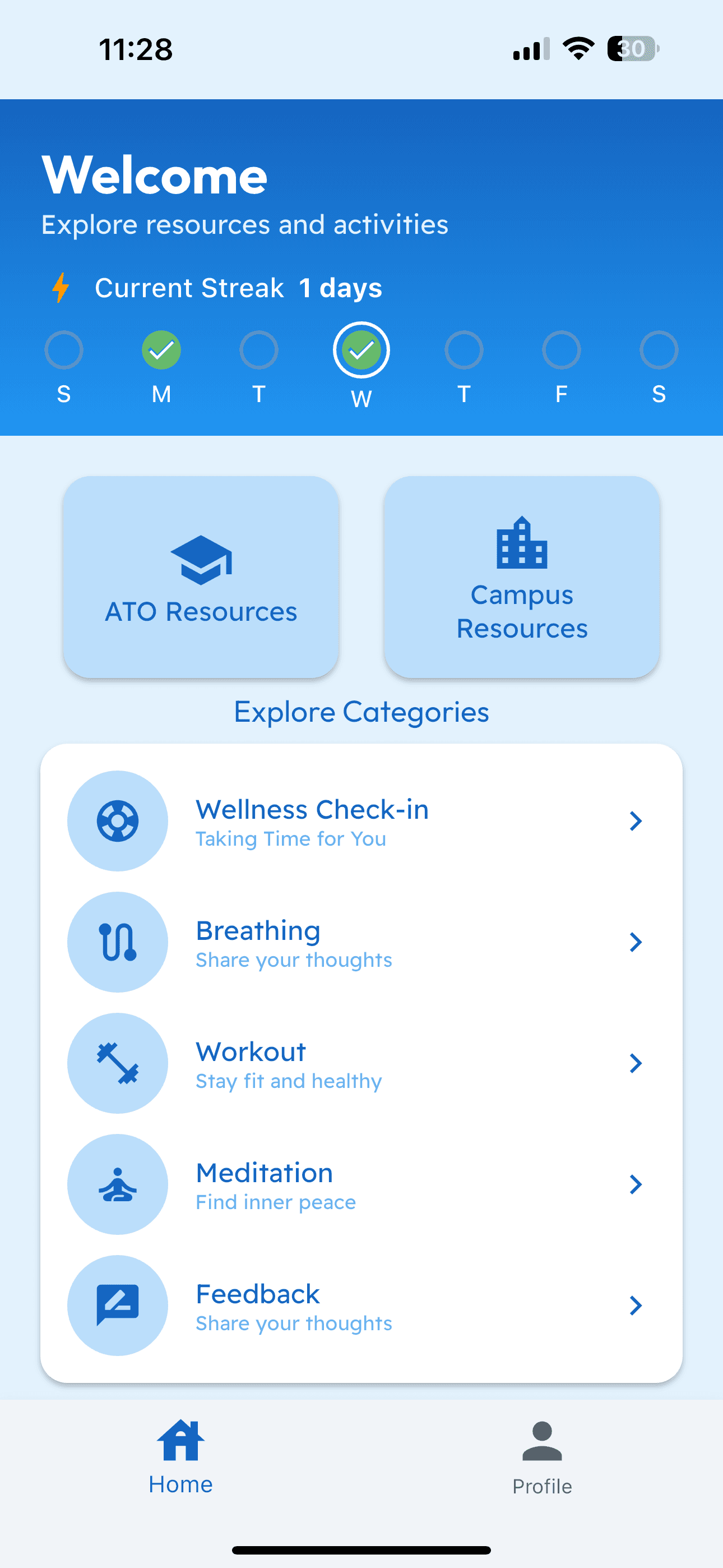
Wellness Check-In
Apple Calendar

Google Calendar

Google Sheets

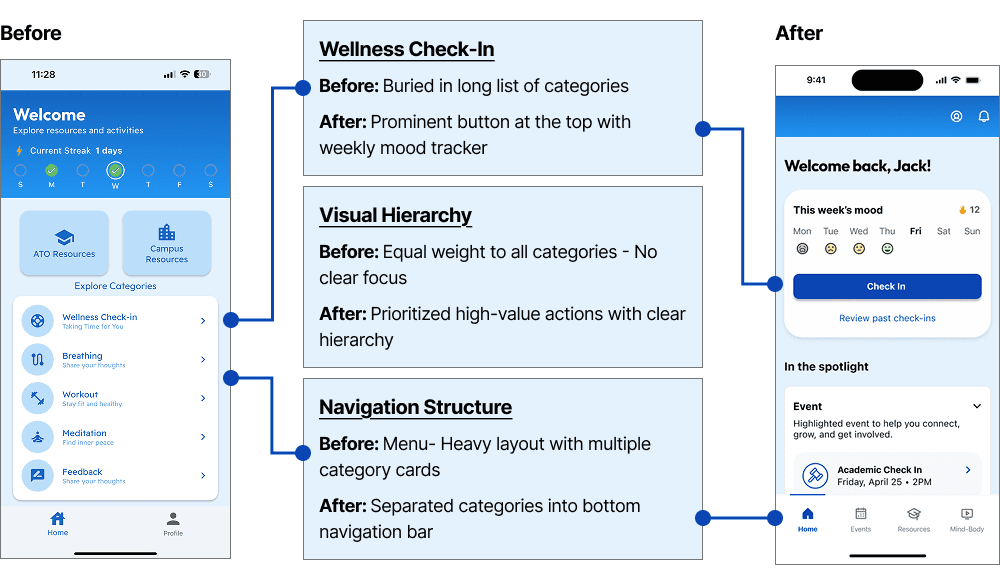
Dashboard Redesign: Before → After
I redesigned the dashboard to prioritize the most important actions, bring wellness check-ins front and center, and spotlight upcoming events for a more connected, personalized experience.
Introducing the Events Hub
The new events hub brings everything into one place allowing members to create events, RSVP, and track attendance directly within UBYou. Organizers can manage guest lists, mark roll call, and update details in real time, ensuring no one misses out and strengthening community connection.
Create New Event
Tracking Attendance
Building a Design System as the Sole UX Designer
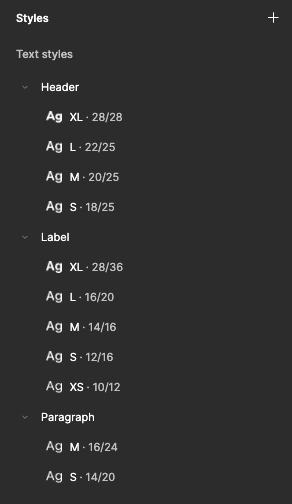
After the testing phase of the design process, I began to build out the design system by starting with the foundation: colors, typography and spacing. And moving onto the atoms of the design system and eventually creating molecules and organism components to use. Without the support of a team, I relied heavily on mentors and outside resources for this realm of the project.
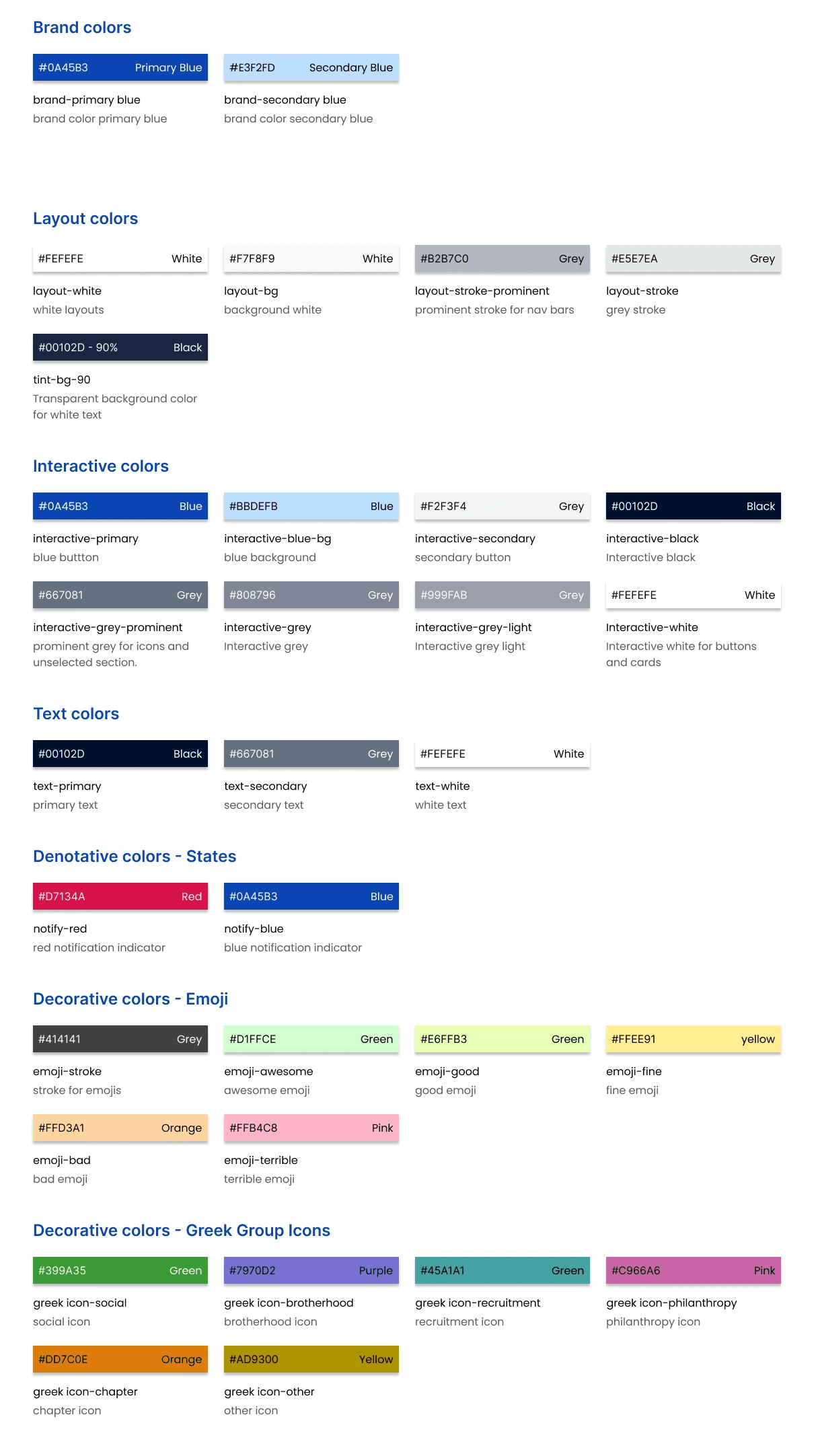
Colors
Brand, interactive, decorative colors
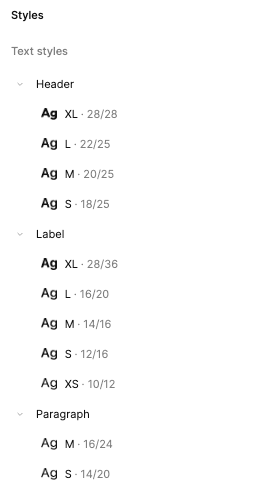
Typography
SF Pro Text
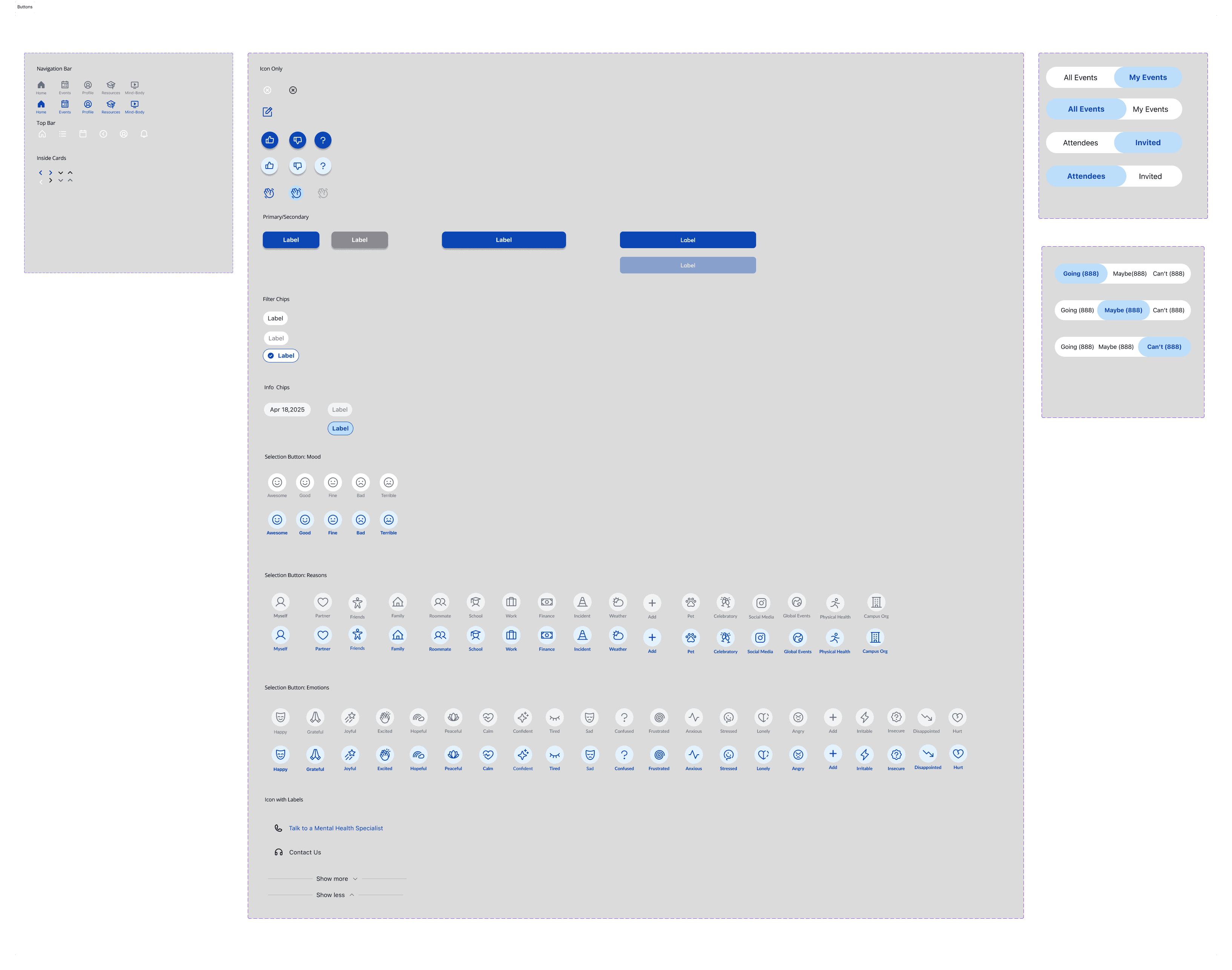
Buttons
Navigation, action, toggles
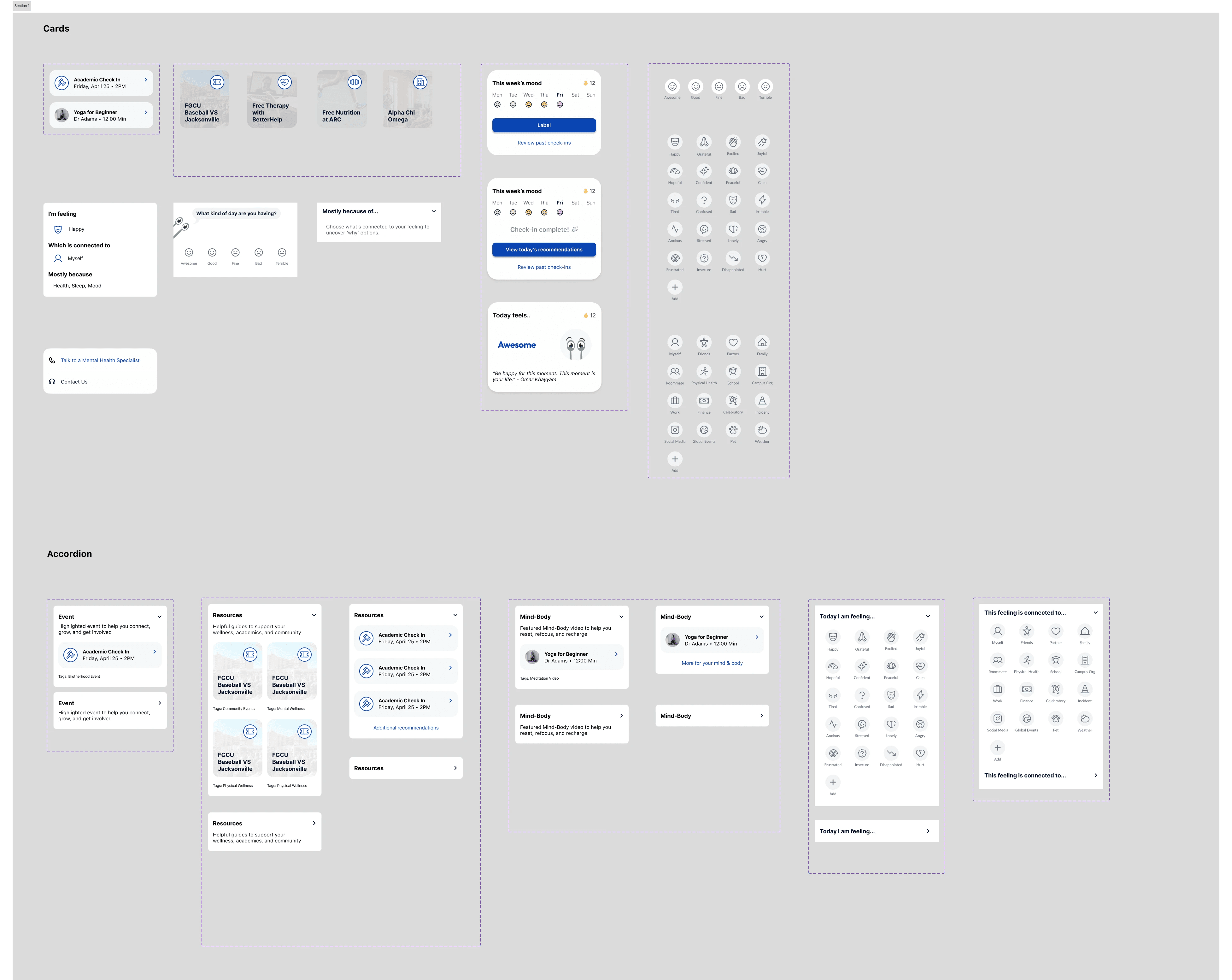
Components
Molecule cards, organism cards and accordions
Putting the Redesign to Test
To validate the redesign, I conducted usability testing with both new and returning users. This allowed me to identify areas that required further iteration and gather feedback on what was working well in the new design.
100%
of returning users reported that the new dashboard layout was easier to navigate
80%
of testers felt that their mood was more accurately portrayed with the additional prompts options
100%
of testers reported that the events feature feels fluid with current app and would enhance their student experience
Iterating on Key Improvements
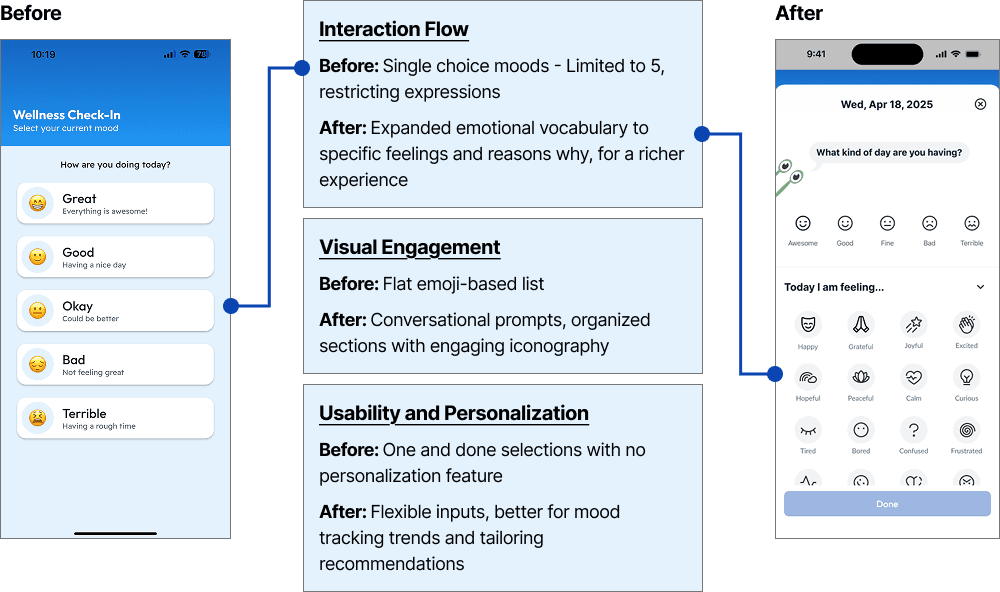
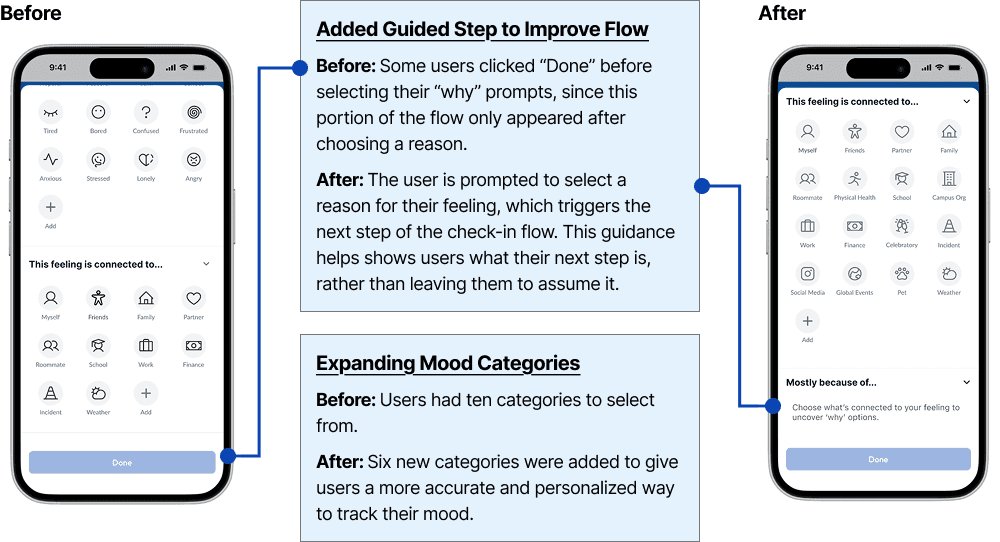
During testing, users had difficulty knowing when to click “Done” in the check-in feature. In the new iteration, I added a guided step that prompts users to choose what their feeling is connected to, which then leads them to the next section of the check-in.
I also gained deeper insight into what students may associate their feelings with, so I added more categories to that section.
Designing What Comes Next
After meeting with the developer and aligning on project timelines, the next sprint will focus on designing the Progress feature of the app.
Check back soon for updates or feel free to reach out if you’d like a sneak peek of what’s coming next!